Goodbye vSphere Client for Windows (C#) – Hello…

Goodbye vSphere Client for Windows (C#) – Hello HTML5
Goodbye vSphere Client for Windows (C#) – Hello…

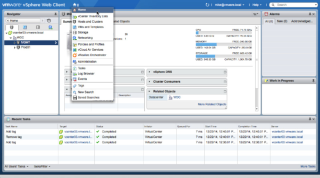
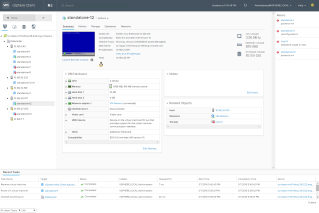
Today we have two important announcements. First, the C# client (AKA Desktop Client/thick client/vSphere Client for Windows) will not be available for the next version of vSphere. Current versions of vSphere (6.0, 5.5) will not be affected, as those will follow the standard support period. You’ve heard this from us in the past, but we’ve been waiting for a sufficient replacement before finally moving forward. Second, we want to talk about the recent vSphere HTML5 Web Client Fling, user adoption, and VMware’s focus on bringing a great user experience. Like the Embedded Host Client Fling (which made it into vSphere in 6.0U2), we plan on bringing this product into a supported release soon.

VMware Social Media Advocacy

Join the VMware vSphere Beta Program – Your…

Join the #VMware vSphere Beta Program – Your Opportunity to Shape the Direction (via vmblog.com)

Join the VMware vSphere Beta Program – Your…

VMware is looking for candidates to Beta test the upcoming VMware vSphere release. And that’s where you come in. Do you want the unique opportunity to have your voice heard and help shape the future direction of vSphere?


VMware Social Media Advocacy

Zerto 4.5 – Installing DR between vCenters

Zerto 4.5 – Installing DR between vCenters (via vAddicted)

Zerto 4.5 – Installing DR between vCenters

Weeks ago I reviewed Zerto in its previous version. The new one brings many new features that I’ll explain during this post. I’ll begin it installing in my vCenter Lab, and connecting it to another vCenter. In a later post, I’ll consider connecting to my Org in Cloud (it’s a vCloud Director Org).


VMware Social Media Advocacy

Load Balancing VMware Identity Manager with F5…

Load Balancing VMware Identity Manager with F5 BIG-IP Local Traffic Manager

Load Balancing VMware Identity Manager with F5…

Load Balancing VMware Identity Manager with F5 BIG-IP Local Traffic Manager


VMware Social Media Advocacy

Step-by-step guide to implementing True SSO in…

Guide to implementing True SSO in a lab: https://t.co/qNsOQP0XWl https://t.co/nc5Qibiocj

Step-by-step guide to implementing True SSO in…

Step-by-step guide to implementing True SSO in a lab environment: https://t.co/qNsOQP0XWl https://t.co/nc5Qibiocj


VMware Social Media Advocacy

[vSphere Blog] Platform Services Controller…

[vSphere Blog] Platform Services Controller Topology Decision Tree http://vmw.re/1Xv0Cdd by Adam Eckerle, Sr. Technical Marketing Manager

[vSphere Blog] Platform Services Controller…

[vSphere Blog] Platform Services Controller Topology Decision Tree http://vmw.re/1Xv0Cdd by Adam Eckerle, Sr. Technical Marketing Manager


VMware Social Media Advocacy

April 19th VMware vForum Featuring vRealize…

April 19th #VMware vForum Featuring vRealize Automation 7 Hands-On Lab

April 19th VMware vForum Featuring vRealize…

Join VMware experts for the April 19th VMware vForum Featuring vRealize Automation 7 Hands-On Lab. You can register now for this virtual event for a half day of breakout sessions, Hands-on Labs, and “Chat with the Experts” to learn more about this new release and take a test drive.


VMware Social Media Advocacy

It’s beta time! Get your voice in and shape the…

It’s beta time! Get your voice in and shape the direction of #vSphere

It’s beta time! Get your voice in and shape the…

It’s Beta Time! The VMware vSphere team invites you to indicate your interest to join the vSphere Beta. This is a unique opportunity to get your voice in and shape the direction of vSphere. Please fill out this short survey to register your interest to join the vSphere Beta. Confirmed participants will be notified via email.


VMware Social Media Advocacy

VMware KB: Entering and exiting maintenance mode for an ESXi host that has Horizon instant clones (2144808)

If you are planning to utilize the new “instant clone” capability in Horizon View 7, you need to understand the operational impacts that come along with the feature. Specifically, as described in the VMware KB article below, new considerations are required for putting ESXi hosts with instant clones into maintenance mode.

Source: VMware KB: Entering and exiting maintenance mode for an ESXi host that has Horizon instant clones (2144808)

VMware provided Horizon View 7 Admin UI

VMware has a packaged Admin UI for Horizon View 7 that provides administration capability without requiring the installation of Adobe Flash. The Admin UI works like a thinapp package and supports View administration only, no external browsing. There are a few known issues described with workarounds along with the download link in VMware KB 2144303.

I have used the Admin UI for a little while and have found it very handy. I especially like the portability of the single executable.

Source: VMware KB: Working with Security Enabled View Admin UI (2144303)